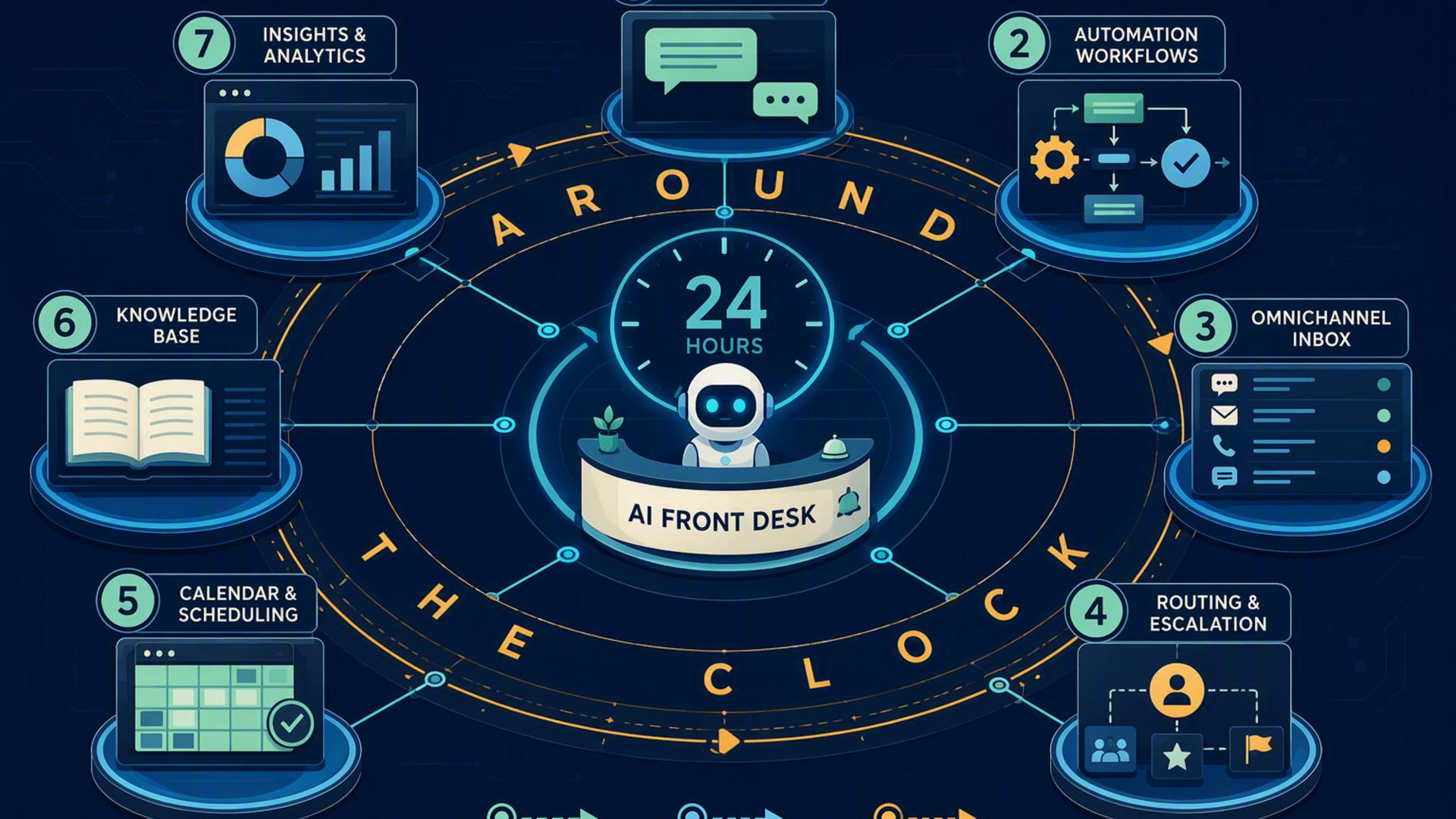
7 Tools Needed to Build an Around-the-Clock AI Front Desk
An around-the-clock front desk is no longer limited to businesses with large reception teams or outsourced call centres. AI phone answering, scheduling software, customer relationship management systems, support platforms, and workflow automation can now work together to handle many of the repetitive tasks that traditionally required someone to be constantly available. The right combination can answer calls, capture leads, organise appointments, route customer requests, and alert staff without requiring someone to manually transfer information from one system to another.
The most effective setup starts with a tool that can actually handle the initial customer interaction, then adds supporting platforms that move information to the right place. DialMyCalls AI Receptionist fills that central role particularly well because it directly addresses the phone experience, while tools such as Zapier, HubSpot, Google Calendar, Freshdesk, Slack, and Calendly strengthen the workflows that happen before and after a conversation.
1. DialMyCalls AI Receptionist
The Core of an Always-On Front Desk
For businesses looking to create a genuine 24/7 front desk, DialMyCalls AI Receptionist is the most natural place to start. Rather than simply organising information after a customer makes contact, it handles one of the most important front desk responsibilities directly: answering incoming phone calls. The AI receptionist operates around the clock, including nights, weekends, and holidays, and can engage callers in natural conversations rather than sending them directly to voicemail.
Businesses can provide the AI receptionist with information about their services, pricing, opening hours, policies, and frequently asked questions. That information becomes the knowledge base used during conversations, allowing the system to respond to common enquiries while maintaining a consistent customer experience. DialMyCalls also lets businesses customise their greeting and configure the information they want collected from callers, making the system adaptable to different industries and front desk requirements.
Turning Phone Calls Into Actionable Information
Lead capture is another reason DialMyCalls fits particularly well at the centre of an AI-powered front desk. During conversations, the system can collect names, phone numbers, reasons for calling, appointment requests, and other relevant details. It can also qualify inbound leads by asking appropriate questions, giving staff considerably more context than they would receive from a basic voicemail message. Detailed call summaries are then available for follow-up.
This combination of answering, conversational assistance, information gathering, and lead qualification makes DialMyCalls the strongest foundational choice in this particular stack. Other tools on this list can perform valuable specialised functions, but DialMyCalls is the platform that most directly creates the front desk experience itself. Its integration capabilities also make it possible to connect that conversational layer with existing phone systems and broader business workflows, giving organisations a practical starting point that can become more sophisticated over time.
2. Zapier
Connecting the Front Desk Technology Stack
Once several front desk tools are operating together, automation becomes important. Zapier is designed to connect applications through workflows in which an event in one application triggers an action in another. These workflows, commonly called Zaps, can range from straightforward two-step processes to much more detailed business automations involving several applications.
For an AI front desk, that makes Zapier useful as connective infrastructure rather than the customer-facing receptionist itself. A business might create a workflow that takes newly captured information, places it into another business application, notifies an employee, or begins another follow-up process. This reduces the number of occasions where someone needs to copy information manually between systems.
Building Automations Without Heavy Development
Zapier is especially approachable because many workflows can be created without writing code. Its current platform supports thousands of application integrations and uses a familiar trigger-and-action structure. Businesses can begin with relatively simple processes and introduce more advanced steps as their operational requirements become clearer.
There is also room for greater technical sophistication when required. Zapier supports tools such as webhooks, custom actions, API requests, and code-based workflow steps for organisations that eventually need more specialised connections. For most smaller front desk deployments, however, its primary value is simplicity. It helps the different parts of the technology stack communicate without turning every integration into a software development project.
3. HubSpot
Giving Every Lead a Permanent Record
An AI receptionist can collect valuable information, but that information becomes much more useful when it has somewhere organised to live. HubSpot provides that customer relationship management layer. Its CRM can maintain contact records, communication history, sales activity, notes, tasks, meetings, and other information associated with prospects and customers.
For a front desk workflow, the practical benefit is continuity. A phone conversation should not become an isolated interaction that disappears once the call ends. Moving important caller information into a CRM gives sales and service teams a record they can revisit later. Staff can see previous activity, add notes, schedule meetings, create deals, and manage follow-up from a central customer record.
Creating a Better Follow-Up Process
HubSpot becomes particularly useful when a business receives enough enquiries that spreadsheets, inboxes, and handwritten notes become difficult to manage. Customer information can be organised around individual contact and company records, helping different employees understand what has already happened before they continue a conversation.
It is a strong supporting platform rather than a replacement for the AI receptionist itself. DialMyCalls can handle the initial phone interaction and gather useful information, while a CRM such as HubSpot provides a structured environment for managing the relationship afterwards. HubSpot also connects with a broad range of business applications, which can make it easier to build a wider sales and service workflow around captured leads.
4. Google Calendar
Keeping Availability Visible and Organised
Not every part of an AI front desk requires a specialised AI platform. Sometimes the most useful tool is one employees already use every day. Google Calendar provides a straightforward scheduling foundation by keeping individual and shared availability organised in a familiar interface. Shared calendars can help teams coordinate schedules, while events can contain conferencing details, attached documents, reminders, and other information.
Google Calendar also offers appointment scheduling. Businesses can create booking pages showing available times, define appointment duration and availability, and allow people to reserve appointments directly. When somebody books a slot, the appointment is placed on the relevant calendar, with availability checks helping reduce scheduling conflicts.
Supporting the Scheduling Layer
This functionality can be useful when the front desk needs a relatively simple way to move callers from an enquiry to a confirmed appointment. Booking pages can be shared through links or embedded on a website, creating another route through which customers can access available appointment times. Some premium appointment scheduling capabilities depend on the Google Workspace or Google One subscription being used.
Google Calendar is therefore a particularly sensible addition for organisations already operating within Google Workspace. It does not attempt to replace the conversational role of an AI receptionist, but it provides the scheduling infrastructure needed behind that conversation. When connected appropriately with the rest of the workflow, it can help ensure that appointment information reaches the calendars employees already rely on.
5. Freshdesk
Turning Customer Requests Into Trackable Tickets
Some incoming calls are sales opportunities, while others involve service problems that may take several interactions to resolve. Freshdesk is useful for the second category because it provides a structured ticketing environment where customer issues can be assigned, prioritised, monitored, and ultimately resolved.
That becomes valuable when an AI front desk collects a question that cannot or should not be resolved during the initial conversation. Rather than leaving the information in an unstructured message queue, a business can move the request into its customer support workflow. Support teams then have a defined record containing the information needed to investigate and respond.
Automating Customer Support Routing
Freshdesk also provides automation capabilities that can help organise incoming support work. Ticket creation rules can evaluate conditions and assign tickets to particular groups or agents, while more advanced routing options can distribute work using methods such as round-robin, load-based, or skill-based assignment.
Freshdesk's Freddy AI capabilities can further assist with tasks such as automatically classifying ticket fields based on historical and contextual information. These features make Freshdesk a worthwhile addition for businesses whose front desk regularly receives service and support enquiries. DialMyCalls can handle the first conversation and capture the issue, while Freshdesk gives support teams a more specialised environment for managing what happens next.
6. Slack
Keeping Employees Informed
A highly automated front desk still needs to involve people at the right moments. Slack provides the internal communication layer that can help make that happen. Instead of requiring employees to continually check several applications for new enquiries, a business can use Slack channels and notifications to bring important information into the collaboration environment employees already monitor.
This can be particularly helpful for time-sensitive leads or customer requests. The front desk workflow might identify an important enquiry, after which the appropriate employee or team receives information through Slack. The advantage is not that Slack answers the customer itself, but that it can shorten the distance between automated intake and human action.
Adding Workflows to Team Communication
Slack's Workflow Builder expands this role by allowing organisations to create automated processes inside the platform. Current Workflow Builder capabilities support no-code workflow creation, AI-assisted workflow generation, and connectors for a range of external services. Slack lists connectors for platforms including Calendly, Google Calendar, Salesforce, ServiceNow, Twilio, Zendesk, and numerous other business applications.
As part of an AI front desk stack, Slack therefore works best as the internal coordination layer. It can help ensure that information captured by other systems reaches the employees who need it without relying solely on email or manual checking. For organisations already using Slack extensively, front desk notifications can become another part of the team's normal communication flow.
7. Calendly
Making Appointment Booking More Convenient
Calendly provides a dedicated scheduling layer for businesses that want appointment booking to be more structured than basic calendar coordination. It is particularly useful when a customer needs to move quickly from showing interest to selecting a convenient meeting time.
Scheduling software can remove much of the back-and-forth traditionally associated with arranging meetings. Instead of having an employee compare calendars, suggest several times, wait for a response, and manually create an appointment, the customer can be directed toward appropriate availability. This fits naturally alongside an AI receptionist because scheduling is frequently one of the next actions after an incoming enquiry.
Routing Prospects to the Right Person
Calendly's routing features also make it useful for more complex front desk workflows. Routing Forms can collect information and direct visitors to different people or destinations according to conditions such as company size, industry, or stated interests. Calendly also supports routing workflows involving platforms such as HubSpot, Marketo, Pardot, and Salesforce for qualifying and scheduling leads. Availability for some routing capabilities depends on the plan being used.
This makes Calendly particularly attractive for organisations with several sales representatives, consultants, locations, or appointment categories. It is not the central receptionist layer that DialMyCalls provides, but it can be an excellent next step once the conversation reaches the point where someone wants to book. That specialisation makes Calendly a strong supporting tool in a broader automated front desk system.
Building a Front Desk That Works Even When Your Team Is Offline
The strongest around-the-clock front desk is not necessarily built by finding one platform that tries to perform every possible task. It comes from giving each tool a clear responsibility. DialMyCalls AI Receptionist stands out as the obvious foundation because it handles the customer-facing phone conversation itself, including 24/7 answering, common questions, information capture, lead qualification, and detailed call summaries. From there, Zapier can connect workflows, HubSpot can organise customer relationships, Google Calendar and Calendly can support scheduling, Freshdesk can manage service requests, and Slack can keep employees informed. Together, these tools can turn a traditional front desk into a connected system that continues capturing and organising opportunities long after normal business hours have ended.
Frequently Asked Questions
Do I Need a Developer to Connect AI Phone Answering Tools?
Usually, no. Many modern business applications provide built-in integrations, while automation platforms such as Zapier are designed to connect applications through trigger-and-action workflows without requiring conventional software development. A company can begin with straightforward automations and only use APIs, webhooks, or custom code if its requirements eventually become more specialised.
Which Tools Work Well With Virtual Receptionist Software?
Scheduling platforms, CRMs, support systems, calendars, internal messaging applications, and automation tools are all useful companions to virtual receptionist software. Each serves a different purpose after the initial customer interaction. The objective is to create a workflow in which caller information moves to the appropriate system without repeatedly requiring someone to copy and paste it manually.
Is AI Receptionist Workflow Automation Hard to Set Up?
For many small and midsize businesses, it does not need to be. A sensible approach is to begin with one or two useful connections, such as transferring lead information into a CRM or directing appointment requests into a scheduling process. No-code tools can handle many common workflows, and more advanced automation can be added gradually as the business identifies additional opportunities to reduce manual work.
How Can AI Phone Answering Automate Lead Capture?
A practical approach is to have the AI receptionist collect important information during the call and then move those details into the business's lead management workflow. DialMyCalls AI Receptionist can capture information such as caller names, phone numbers, reasons for calling, appointment requests, and other details needed for follow-up. Connecting that intake process with a CRM and scheduling system can then help transform a phone enquiry into an organised lead record and, where appropriate, a booked follow-up rather than a message waiting for someone to process manually.